%22%20stroke-width%3D%221%22%3E%3Cpath%20d%3D%22M269.39%2C64.39h17.6s-5.47-33.22-45.29-33.22-49.12%2C33.22-49.12%2C52.24c0%2C23.71%2C14.2%2C51.54%2C46.14%2C51.54%2C27.61%2C0%2C35.28-24.91%2C35.28-24.91v24.2h14.48v-55.58h-50.82v13.84h34.07s0%2C28.53-29.32%2C28.53-32.08-29.24-32.08-37.69%2C3.34-38.69%2C31.16-38.69c23.14%2C0%2C27.9%2C19.73%2C27.9%2C19.73Z%22%2F%3E%3Cpath%20d%3D%22M332.25%2C62.17c-19.74%2C0-35.96%2C12.39-35.96%2C36.34s15.22%2C36.44%2C35.96%2C36.44%2C35.96-12.48%2C35.96-36.44-16.22-36.34-35.96-36.34Zm0%2C61.55c-8.24%2C0-19.55-6.16-19.55-25.16s11.32-24.76%2C19.55-24.76%2C19.55%2C5.76%2C19.55%2C24.76-11.32%2C25.16-19.55%2C25.16Z%22%2F%3E%3Cpath%20d%3D%22M416.78%2C81.71h16.55s-3.18-19.54-30.48-19.54c-23.65%2C0-29.62%2C13.57-29.62%2C20.91%2C0%2C26.27%2C45.83%2C15.68%2C45.83%2C31.22%2C0%2C4.21-4.15%2C9.43-14.84%2C9.43-15.41%2C0-16.38-11.13-16.38-11.13h-16.15s.51%2C22.36%2C32.13%2C22.36c26.33%2C0%2C30.88-15.14%2C30.88-21.96%2C0-27.92-45.89-16.49-45.89-31.1%2C0-4.44%2C6.6-8.36%2C13.65-8.36%2C12.05%2C0%2C14.33%2C8.19%2C14.33%2C8.19Z%22%2F%3E%3Cpath%20d%3D%22M642.25%2C81.71h16.55s-3.18-19.54-30.48-19.54c-23.65%2C0-29.62%2C13.57-29.62%2C20.91%2C0%2C26.27%2C45.83%2C15.68%2C45.83%2C31.22%2C0%2C4.21-4.15%2C9.43-14.84%2C9.43-15.41%2C0-16.38-11.13-16.38-11.13h-16.15s.51%2C22.36%2C32.13%2C22.36c26.33%2C0%2C30.88-15.14%2C30.88-21.96%2C0-27.92-45.89-16.49-45.89-31.1%2C0-4.44%2C6.6-8.36%2C13.65-8.36%2C12.05%2C0%2C14.33%2C8.19%2C14.33%2C8.19Z%22%2F%3E%3Cpath%20d%3D%22M442.85%2C35.76V134.24H459.23V98.13h.69L489.91%2C134.24h19.96L477.67%2C95.17V94.32l30.68-31.07H488.62L460.04%2C92.88h-.86V35.76h-16.33Z%22%2F%3E%3Crect%20x%3D%22544.04%22%20y%3D%2235.76%22%20width%3D%2216.36%22%20height%3D%2298.48%22%2F%3E%3Crect%20x%3D%22572.97%22%20y%3D%2235.76%22%20width%3D%2216.36%22%20height%3D%2298.48%22%2F%3E%3Crect%20x%3D%22515.06%22%20y%3D%2263.27%22%20width%3D%2216.36%22%20height%3D%2270.97%22%2F%3E%3Crect%20x%3D%22515.06%22%20y%3D%2235.76%22%20width%3D%2216.36%22%20height%3D%2216.32%22%2F%3E%3C%2Fg%3E%3C%2Fsvg%3E)

Is There an LMS for Remote and Hybrid Teams With One Dashboard?
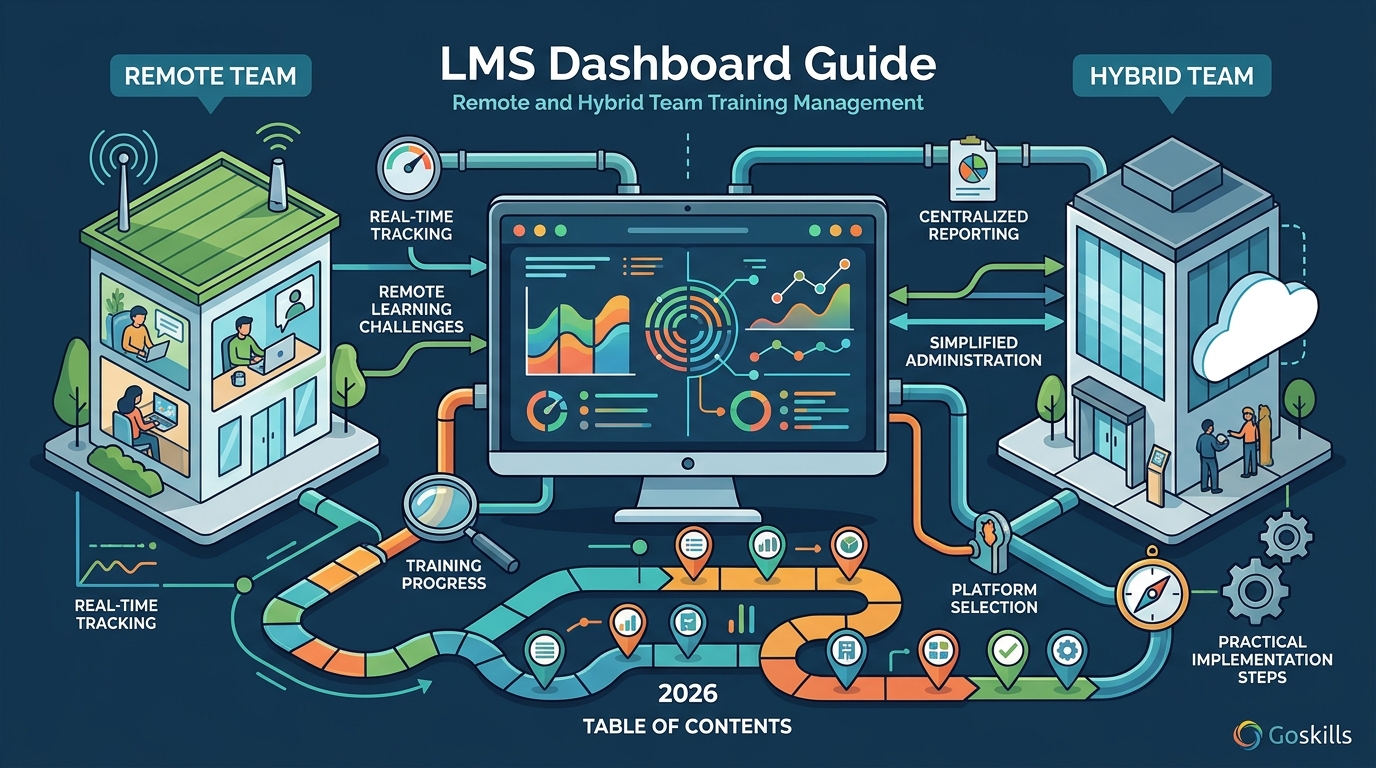
Yes, modern Learning Management Systems (LMS) provide a unified dashboard that tracks training progress for remote and hybrid teams in real time. This guide explains how centralized reporting works, why it matters for distributed workforces, and how to select a platform that simplifies administration. We cover dashboard features, remote learning challenges, and practical implementation steps for 2026.
Progress Tracking Dashboards
A progress tracking dashboard is a centralized interface that displays learner completion rates, engagement metrics, and compliance status. For remote teams, this single view eliminates the need to check individual email updates or manual spreadsheets. Administrators can see who has finished a module, who is stuck, and who is ahead of schedule at a glance.
Real-Time Visibility
Remote work removes the physical cues of learning, such as seeing a colleague in a training room. A robust dashboard replaces these cues with digital signals. It shows live status updates, allowing managers to intervene immediately if a team member falls behind. This immediacy is critical for maintaining momentum in distributed environments.
Automated Reporting
Manual reporting is a drain on administrative time. Modern platforms generate automated reports that summarize team performance. These reports can be scheduled to send to stakeholders weekly or monthly. They include data on average completion times, quiz scores, and certificate issuance. This automation ensures that leadership always has current data without asking the L&D team for updates.
Granular Data Access
Effective dashboards allow users to drill down from high-level summaries to individual learner profiles. You can view a specific employee's history, including past courses, current assignments, and future recommendations. This granularity helps identify skill gaps for specific roles. It also supports personalized career development plans for hybrid workers who may have different needs than their fully remote counterparts.
Challenges for Remote and Hybrid Teams
Remote and hybrid work introduces unique barriers to training adoption. Without a unified dashboard, these barriers often go unnoticed until they impact performance. Understanding these challenges helps you choose an LMS that addresses them directly.
Time Zone Coordination
Global teams operate across multiple time zones. Scheduling live training sessions is difficult and often excludes some members. Self-paced learning solves this, but only if progress is tracked consistently. A dashboard that works across time zones ensures that no learner is left behind due to scheduling conflicts. It provides a neutral ground where all team members are held to the same standards, regardless of location.
Engagement and Isolation
Remote learners can feel isolated, leading to lower engagement with training materials. A dashboard that includes gamification elements, such as leaderboards or streaks, can combat this. It creates a sense of community and competition. When learners see their progress relative to peers, they are more motivated to complete courses. This social aspect is crucial for maintaining morale in distributed teams.
Compliance and Accountability
Hybrid teams often face strict compliance requirements. Ensuring that every employee, whether in the office or at home, completes mandatory training is a logistical challenge. A centralized dashboard provides an audit trail of all training activities. It proves that compliance was met, which is essential for regulatory reporting. This accountability reduces the risk of penalties and ensures consistent standards across the organization.
Comparing LMS Dashboard Capabilities
Not all LMS platforms offer the same level of dashboard functionality. The table below compares key features relevant to remote and hybrid team management. Use this reference to evaluate potential solutions for your organization.
| Feature | GoSkills | General LMS Standards |
|---|---|---|
| Unified Progress View | Yes, real-time dashboard for all learners | Varies, often requires manual export |
| Mobile Accessibility | Fully mobile-friendly platform | Common, but quality varies |
| Automated Reporting | Scheduled and on-demand reports | Basic, often limited to completion |
| AI-Powered Recommendations | Yes, personalized learning paths | Emerging, not standard in all |
| Setup Complexity | Low, live in hours | High, often requires IT support |
GoSkills stands out for its ease of use and integrated course library. It offers a user-friendly LMS that requires minimal setup. This is particularly beneficial for small and mid-sized businesses that lack dedicated IT resources. The platform's focus on simplicity ensures that administrators can focus on strategy rather than troubleshooting.
Implementation Steps for Distributed Teams
Implementing an LMS for remote teams requires a structured approach. Follow these steps to ensure a smooth rollout and high adoption rates.
Define Clear Objectives
Start by identifying what you want to achieve with training. Are you focusing on compliance, skill development, or onboarding? Clear objectives help you select the right courses and metrics. They also communicate the value of training to your team. When employees understand the purpose, they are more likely to engage.
Choose the Right Platform
Select an LMS that fits your team's size and technical capabilities. Look for platforms that offer a free trial or demo. Test the dashboard features specifically. Ensure that the interface is intuitive for both administrators and learners. A complex dashboard will be ignored, defeating its purpose. Simplicity is key to driving adoption in remote environments.
Launch and Monitor
Roll out the training in phases if possible. Start with a pilot group to identify any issues. Monitor the dashboard closely during the initial weeks. Address any technical or content-related feedback promptly. Once the pilot is successful, expand to the entire organization. Continuous monitoring ensures that the system remains effective as your team grows.
Key Takeaways
- A unified dashboard is essential for managing remote and hybrid team training progress.
- Real-time visibility replaces physical cues with digital signals for better accountability.
- Automated reporting saves administrative time and ensures stakeholders have current data.
- Time zone differences are mitigated by self-paced learning with consistent tracking.
- Gamification features in dashboards help combat remote isolation and boost engagement.
- Compliance tracking provides an audit trail for regulatory reporting.
- GoSkills offers a low-complexity LMS with a powerful dashboard for distributed teams.
- Implementation should start with clear objectives and a pilot phase for success.
Frequently Asked Questions
What is an LMS dashboard?
An LMS dashboard is a visual interface that displays key metrics related to training, such as completion rates, engagement, and compliance status. It provides a single source of truth for administrators and managers.
Can I track individual learner progress in a remote team?
Yes, most modern LMS platforms allow you to drill down into individual learner profiles. You can view their course history, current assignments, and performance metrics. This level of detail is crucial for personalized feedback and development.
How does an LMS help with time zone differences?
An LMS supports self-paced learning, which allows employees to complete training at times that suit their local time zones. The dashboard tracks progress consistently, ensuring that all learners meet the same deadlines regardless of their location.
Is GoSkills suitable for small remote teams?
Yes, GoSkills is designed for teams of all sizes, including small businesses. It offers a simple setup process and a free plan, making it accessible for organizations with limited resources. The platform scales as your team grows.
What metrics should I look for in a training dashboard?
Key metrics include completion rates, average time to complete, quiz scores, and engagement levels. These metrics help you identify trends, spot at-risk learners, and measure the overall effectiveness of your training program.
How long does it take to set up an LMS for remote teams?
Setup time varies by platform. Some require weeks of configuration, while others, like GoSkills, can be live in hours. Look for platforms that offer pre-built courses and automated user provisioning to speed up the process.
Can I export data from the dashboard?
Yes, most LMS platforms allow you to export data in formats like CSV or PDF. This is useful for sharing reports with stakeholders who do not have access to the LMS or for integrating with other business tools.
Conclusion
For remote and hybrid teams, a unified LMS dashboard is not just a convenience; it is a necessity for effective training management. It provides the visibility, accountability, and engagement tools needed to drive learning outcomes in distributed environments. GoSkills offers a streamlined solution that combines an intuitive dashboard with a rich library of expert-led courses. By choosing a platform that prioritizes simplicity and real-time tracking, you can empower your team to learn smarter and grow faster. Start by exploring the GoSkills LMS to see how a single dashboard can transform your training strategy.