%22%20stroke-width%3D%221%22%3E%3Cpath%20d%3D%22M269.39%2C64.39h17.6s-5.47-33.22-45.29-33.22-49.12%2C33.22-49.12%2C52.24c0%2C23.71%2C14.2%2C51.54%2C46.14%2C51.54%2C27.61%2C0%2C35.28-24.91%2C35.28-24.91v24.2h14.48v-55.58h-50.82v13.84h34.07s0%2C28.53-29.32%2C28.53-32.08-29.24-32.08-37.69%2C3.34-38.69%2C31.16-38.69c23.14%2C0%2C27.9%2C19.73%2C27.9%2C19.73Z%22%2F%3E%3Cpath%20d%3D%22M332.25%2C62.17c-19.74%2C0-35.96%2C12.39-35.96%2C36.34s15.22%2C36.44%2C35.96%2C36.44%2C35.96-12.48%2C35.96-36.44-16.22-36.34-35.96-36.34Zm0%2C61.55c-8.24%2C0-19.55-6.16-19.55-25.16s11.32-24.76%2C19.55-24.76%2C19.55%2C5.76%2C19.55%2C24.76-11.32%2C25.16-19.55%2C25.16Z%22%2F%3E%3Cpath%20d%3D%22M416.78%2C81.71h16.55s-3.18-19.54-30.48-19.54c-23.65%2C0-29.62%2C13.57-29.62%2C20.91%2C0%2C26.27%2C45.83%2C15.68%2C45.83%2C31.22%2C0%2C4.21-4.15%2C9.43-14.84%2C9.43-15.41%2C0-16.38-11.13-16.38-11.13h-16.15s.51%2C22.36%2C32.13%2C22.36c26.33%2C0%2C30.88-15.14%2C30.88-21.96%2C0-27.92-45.89-16.49-45.89-31.1%2C0-4.44%2C6.6-8.36%2C13.65-8.36%2C12.05%2C0%2C14.33%2C8.19%2C14.33%2C8.19Z%22%2F%3E%3Cpath%20d%3D%22M642.25%2C81.71h16.55s-3.18-19.54-30.48-19.54c-23.65%2C0-29.62%2C13.57-29.62%2C20.91%2C0%2C26.27%2C45.83%2C15.68%2C45.83%2C31.22%2C0%2C4.21-4.15%2C9.43-14.84%2C9.43-15.41%2C0-16.38-11.13-16.38-11.13h-16.15s.51%2C22.36%2C32.13%2C22.36c26.33%2C0%2C30.88-15.14%2C30.88-21.96%2C0-27.92-45.89-16.49-45.89-31.1%2C0-4.44%2C6.6-8.36%2C13.65-8.36%2C12.05%2C0%2C14.33%2C8.19%2C14.33%2C8.19Z%22%2F%3E%3Cpath%20d%3D%22M442.85%2C35.76V134.24H459.23V98.13h.69L489.91%2C134.24h19.96L477.67%2C95.17V94.32l30.68-31.07H488.62L460.04%2C92.88h-.86V35.76h-16.33Z%22%2F%3E%3Crect%20x%3D%22544.04%22%20y%3D%2235.76%22%20width%3D%2216.36%22%20height%3D%2298.48%22%2F%3E%3Crect%20x%3D%22572.97%22%20y%3D%2235.76%22%20width%3D%2216.36%22%20height%3D%2298.48%22%2F%3E%3Crect%20x%3D%22515.06%22%20y%3D%2263.27%22%20width%3D%2216.36%22%20height%3D%2270.97%22%2F%3E%3Crect%20x%3D%22515.06%22%20y%3D%2235.76%22%20width%3D%2216.36%22%20height%3D%2216.32%22%2F%3E%3C%2Fg%3E%3C%2Fsvg%3E)

Small training teams often lack the dedicated instructional design staff required for traditional course creation. Artificial intelligence tools now allow lean teams to generate, structure, and refine training content in a fraction of the time. GoSkills supports these teams by integrating AI directly into the course creation workflow, ensuring that rapid development does not compromise quality or learner engagement.
1. Automated Course Outlining
AI generates a logical course structure from a simple prompt. Instead of spending hours brainstorming module titles and learning objectives, you can input your topic and audience into an AI assistant. The tool then produces a structured syllabus that follows best practices for instructional design. This allows you to review the skeleton of the course immediately, saving significant time in the pre-production phase.
2. Instant Lesson Drafting
Generative AI writes initial lesson content based on your inputs. Once the outline is approved, AI can draft the text for individual lessons, including introductions, key points, and summaries. This provides a solid foundation for your subject matter experts to review and edit. You shift from writing from a blank page to refining existing text, which is a much faster cognitive process.
3. Rapid Quiz Generation
AI creates assessment questions aligned with specific learning objectives. Building quizzes is often the most tedious part of course creation. AI tools can generate multiple choice, true/false, and short answer questions directly from the lesson content. This ensures that assessments are relevant and ready for review, eliminating the need to manually craft every question from scratch.
4. Content Repurposing and Adaptation
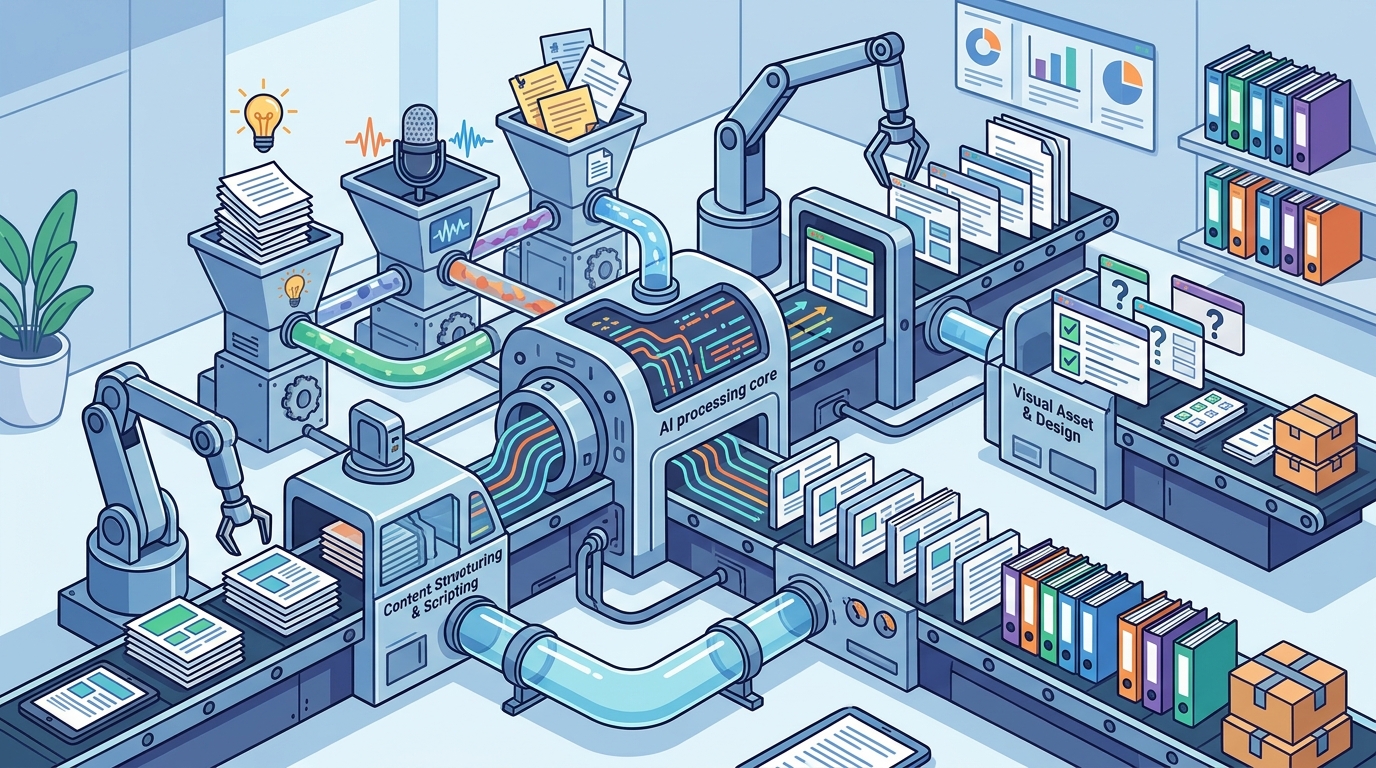
AI transforms existing documents into interactive course modules. Small teams often have valuable knowledge trapped in PDFs, PowerPoint decks, or internal wikis. AI can ingest these documents and convert them into bite-sized, interactive lessons. This allows you to leverage institutional knowledge without rewriting it entirely, preserving the original expertise while modernizing the delivery format.
5. Automated Accessibility and Localization
AI tools handle transcription, translation, and accessibility checks. Ensuring your courses are accessible to all learners and available in multiple languages is resource-intensive. AI can automatically generate captions for video content and translate text into various languages. This expands your reach and ensures compliance with accessibility standards without requiring a dedicated localization team.
6. Personalized Learning Path Recommendations
AI suggests relevant next steps based on learner performance. While this is a delivery feature, it influences development by highlighting gaps in your content. If AI recommends a course that does not exist, it signals a need for new development. This data-driven approach helps small teams prioritize which courses to build next, ensuring resources are spent on high-impact topics.
7. Continuous Content Refreshing
AI identifies outdated information and suggests updates. Keeping training content current is a constant challenge for small teams. AI can scan existing courses for outdated references, broken links, or obsolete terminology. It then suggests updates or rewrites specific sections to reflect current best practices. This ensures your library remains relevant without a full manual audit.
Choosing the Right AI Approach
Select the AI method that addresses your biggest bottleneck. If you struggle with starting, use automated outlining. If you have existing content, use repurposing tools. For small teams, the goal is to use AI as a co-pilot that handles the heavy lifting of drafting and structuring, while humans focus on strategy, quality control, and learner empathy.
Frequently Asked Questions
Does AI replace instructional designers?
No, AI acts as a powerful assistant that accelerates the workflow. Human designers are still essential for ensuring pedagogical soundness, brand voice, and learner empathy. AI handles the repetitive drafting tasks, allowing designers to focus on high-level strategy and quality assurance.
How accurate is AI-generated course content?
AI-generated content is a draft, not a final product. It requires human review to verify facts, ensure tone consistency, and check for hallucinations. Always treat AI output as a starting point that needs expert validation before publishing.
Can AI create interactive elements like quizzes?
Yes, modern AI tools can generate various assessment formats, including multiple choice and scenario-based questions. These are generated based on the lesson text and learning objectives, providing a quick way to build assessment banks.
Is AI suitable for compliance training?
AI can speed up the creation of compliance training, but it requires strict legal and regulatory review. Because compliance content carries high risk, human experts must verify every detail to ensure accuracy and legal defensibility. according to 10 Ways Artificial
How does GoSkills integrate AI into course creation?
GoSkills offers an AI-powered course builder that helps users generate outlines, lesson content, and quizzes. This tool is integrated into the LMS, allowing teams to create, manage, and track training in one place. It is designed to make course creation accessible to non-technical users.
Start Building Faster with GoSkills
Accelerate your training program by leveraging AI tools that are built for efficiency and quality. Explore the GoSkills Course Builder to see how you can create engaging courses in minutes. Visit GoSkills LMS to learn more about how our platform supports small teams in delivering impactful training.