%22%20stroke-width%3D%221%22%3E%3Cpath%20d%3D%22M269.39%2C64.39h17.6s-5.47-33.22-45.29-33.22-49.12%2C33.22-49.12%2C52.24c0%2C23.71%2C14.2%2C51.54%2C46.14%2C51.54%2C27.61%2C0%2C35.28-24.91%2C35.28-24.91v24.2h14.48v-55.58h-50.82v13.84h34.07s0%2C28.53-29.32%2C28.53-32.08-29.24-32.08-37.69%2C3.34-38.69%2C31.16-38.69c23.14%2C0%2C27.9%2C19.73%2C27.9%2C19.73Z%22%2F%3E%3Cpath%20d%3D%22M332.25%2C62.17c-19.74%2C0-35.96%2C12.39-35.96%2C36.34s15.22%2C36.44%2C35.96%2C36.44%2C35.96-12.48%2C35.96-36.44-16.22-36.34-35.96-36.34Zm0%2C61.55c-8.24%2C0-19.55-6.16-19.55-25.16s11.32-24.76%2C19.55-24.76%2C19.55%2C5.76%2C19.55%2C24.76-11.32%2C25.16-19.55%2C25.16Z%22%2F%3E%3Cpath%20d%3D%22M416.78%2C81.71h16.55s-3.18-19.54-30.48-19.54c-23.65%2C0-29.62%2C13.57-29.62%2C20.91%2C0%2C26.27%2C45.83%2C15.68%2C45.83%2C31.22%2C0%2C4.21-4.15%2C9.43-14.84%2C9.43-15.41%2C0-16.38-11.13-16.38-11.13h-16.15s.51%2C22.36%2C32.13%2C22.36c26.33%2C0%2C30.88-15.14%2C30.88-21.96%2C0-27.92-45.89-16.49-45.89-31.1%2C0-4.44%2C6.6-8.36%2C13.65-8.36%2C12.05%2C0%2C14.33%2C8.19%2C14.33%2C8.19Z%22%2F%3E%3Cpath%20d%3D%22M642.25%2C81.71h16.55s-3.18-19.54-30.48-19.54c-23.65%2C0-29.62%2C13.57-29.62%2C20.91%2C0%2C26.27%2C45.83%2C15.68%2C45.83%2C31.22%2C0%2C4.21-4.15%2C9.43-14.84%2C9.43-15.41%2C0-16.38-11.13-16.38-11.13h-16.15s.51%2C22.36%2C32.13%2C22.36c26.33%2C0%2C30.88-15.14%2C30.88-21.96%2C0-27.92-45.89-16.49-45.89-31.1%2C0-4.44%2C6.6-8.36%2C13.65-8.36%2C12.05%2C0%2C14.33%2C8.19%2C14.33%2C8.19Z%22%2F%3E%3Cpath%20d%3D%22M442.85%2C35.76V134.24H459.23V98.13h.69L489.91%2C134.24h19.96L477.67%2C95.17V94.32l30.68-31.07H488.62L460.04%2C92.88h-.86V35.76h-16.33Z%22%2F%3E%3Crect%20x%3D%22544.04%22%20y%3D%2235.76%22%20width%3D%2216.36%22%20height%3D%2298.48%22%2F%3E%3Crect%20x%3D%22572.97%22%20y%3D%2235.76%22%20width%3D%2216.36%22%20height%3D%2298.48%22%2F%3E%3Crect%20x%3D%22515.06%22%20y%3D%2263.27%22%20width%3D%2216.36%22%20height%3D%2270.97%22%2F%3E%3Crect%20x%3D%22515.06%22%20y%3D%2235.76%22%20width%3D%2216.36%22%20height%3D%2216.32%22%2F%3E%3C%2Fg%3E%3C%2Fsvg%3E)

Startups can build and launch onboarding courses the same afternoon using AI course builders integrated with a Learning Management System (LMS). GoSkills provides an AI-powered authoring tool called Genie that generates course outlines, lesson content, and quizzes from simple prompts. This guide covers how to select the right AI builder, structure effective onboarding content, and deploy training immediately.
AI Course Builders for Startups
An AI course builder is a software tool that uses generative artificial intelligence to draft educational content, structure lessons, and create assessments. For startups, speed is the primary advantage. Traditional course development often takes weeks or months, requiring subject matter experts, instructional designers, and video editors. AI tools compress this timeline significantly.
Why Speed Matters for New Companies
Startups operate in fast-moving environments where processes change weekly. If onboarding content takes a month to create, it is likely outdated before launch. AI builders allow teams to update training materials in hours rather than weeks. This agility ensures that new hires receive accurate information about current company processes, tools, and culture.
Key Features to Look For
When evaluating AI course builders, focus on integration and ease of use. The tool should connect directly with your LMS to handle assignment, tracking, and certification. Look for platforms that offer a block-based editor, allowing you to add text, video, and quizzes without coding. GoSkills integrates its AI assistant, Genie, directly into its LMS, enabling users to generate, customize, and launch courses in a single environment.
Comparison of AI Course Creation Approaches
| Content Generation | Text only | Text, quizzes, structure |
| Deployment | Manual upload required | One-click launch |
| Progress Tracking | None | Built-in analytics |
| Time to Launch | Days to weeks | Hours |
Integrated solutions like the GoSkills AI course creator eliminate the friction between content creation and delivery. You do not need to export files or manage separate platforms. The system handles the technical side of hosting and user management while you focus on the learning objectives.
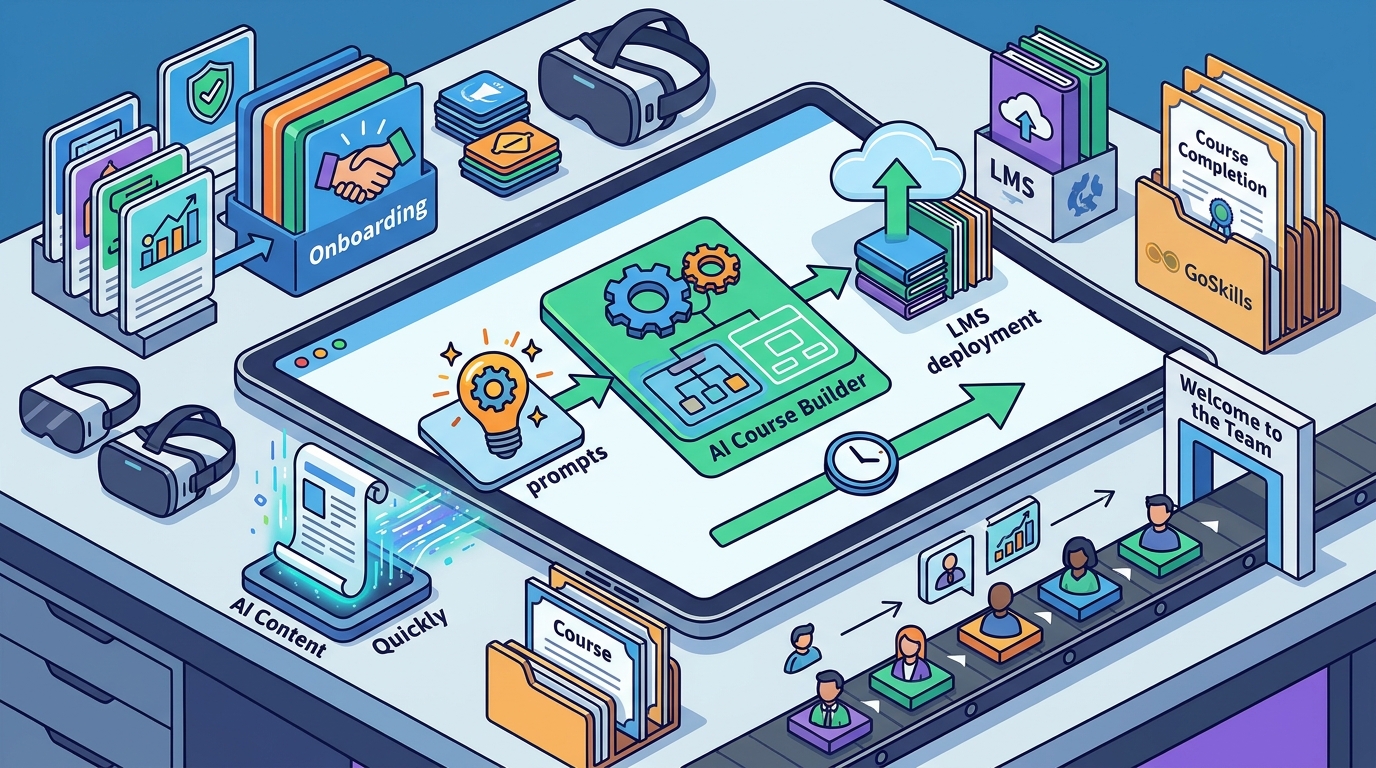
Onboarding Course Creation Workflow
Onboarding course creation is the process of designing structured learning paths that help new employees become productive quickly. Effective onboarding goes beyond software training; it covers company culture, values, and operational workflows. A well-designed onboarding program reduces time-to-productivity and improves retention.
Step 1: Define Learning Objectives
Before prompting the AI, identify what a new hire must know to succeed in their first 30 days. Break this down into specific skills. For example, a sales role might need knowledge of the CRM, pricing models, and customer communication standards. Clear objectives help the AI generate relevant content rather than generic filler.
Step 2: Generate and Refine Content
Use the AI builder to create a draft course outline. Most tools, including Genie, allow you to specify the target audience and lesson length. Review the generated content carefully. AI is best used for drafting and idea generation, but human review is essential for accuracy. Edit the text to match your company voice and verify all facts. This step ensures the training reflects your specific business reality.
Step 3: Add Interactive Elements
Static text is rarely engaging. Add quizzes to test knowledge and interactive elements to keep learners active. GoSkills courses typically include short video lessons, practical exercises, and quick quizzes. This microlearning approach boosts retention rates and accelerates learning speeds. You can also upload your own videos or documents to supplement the AI-generated text.
Step 4: Launch and Monitor
Once the course is polished, assign it to new hires through the LMS. Monitor completion rates and quiz scores to identify gaps in the training. If many employees struggle with a specific section, update the content immediately. The ability to iterate quickly is a major benefit of using an AI-integrated platform. You can refine the course based on real-time feedback without waiting for a full redesign cycle.
Key Takeaways
- AI course builders significantly reduce the time required to create training content, allowing startups to launch onboarding programs the same day.
- Integrated LMS platforms offer a seamless workflow from content generation to course deployment and progress tracking.
- Human review is critical when using AI-generated content to ensure accuracy and alignment with company culture.
- Microlearning formats, such as short videos and quizzes, improve engagement and knowledge retention for new employees.
- Startups should define clear learning objectives before using AI tools to ensure the generated content is relevant and practical.
- Continuous monitoring of learner performance allows for rapid iteration and improvement of onboarding materials.
- GoSkills provides a user-friendly environment where teams can create, manage, and track training without technical expertise.
Frequently Asked Questions
Can I really launch a course the same afternoon I start building it?
Yes. With AI-powered tools like Genie, you can generate a full course outline and lesson content in minutes. After a quick review and edit, you can publish the course to your LMS and assign it to learners the same day.
Do I need technical skills to use an AI course builder?
No. Modern AI course builders are designed for non-technical users. They use simple prompts and block-based editors, so you do not need to know how to code or use complex video editing software.
Is AI-generated content accurate enough for corporate training?
AI is excellent for drafting and structuring content, but it should not be the final word. You must review and fact-check all AI-generated material to ensure it aligns with your specific business processes and policies.
How does GoSkills differ from other LMS platforms?
GoSkills combines a library of expert-led courses with an AI-powered course builder and LMS in one platform. This all-in-one approach allows you to use pre-built content or create custom training without switching between multiple tools.
What types of content can I include in my onboarding course?
You can include text, images, videos, quizzes, and interactive exercises. The platform supports various content blocks, allowing you to create a diverse and engaging learning experience.
Can I update the course after it is launched?
Yes. You can edit and update course content at any time. Changes are reflected immediately for learners, allowing you to keep your training materials current as your business evolves.
Conclusion
Startups no longer need to wait weeks to train their teams. By leveraging AI course builders integrated with a robust LMS, you can create, refine, and launch onboarding courses in a single afternoon. GoSkills provides the tools to make this process simple, effective, and scalable. To get started, or explore the platform to see how you can accelerate your training initiatives today.